![LogoLarge.png]](https://kb.iriscx.com/hs-fs/hubfs/LogoLarge.png?height=31&name=LogoLarge.png)
-
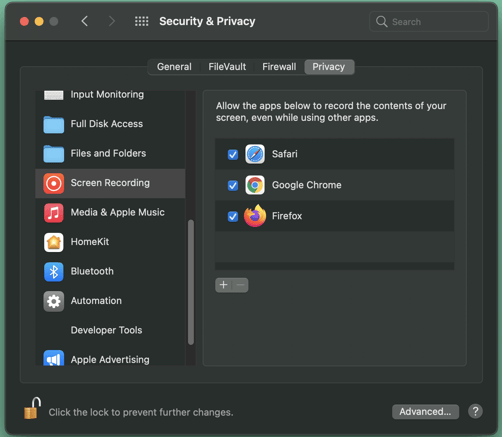
On your Mac, choose Apple menu > System Preferences, click Security & Privacy, then click Privacy.
-
Select Screen Recording.
-
Select the checkbox next to your browser(we recommend Chrome for the best experience) to allow it to record your screen.
- Restart the browser for the new permissions to take effect.
And that's it, you're ready to start sharing your screen with your customers!